Skip to content

2026

PodOS 2026.07: Flexible conditions and document metadata

Our latest release makes it possible to handle document metadata and gives you more flexibility in visualizing your data with custom dashboards.

Access and edit document metadata

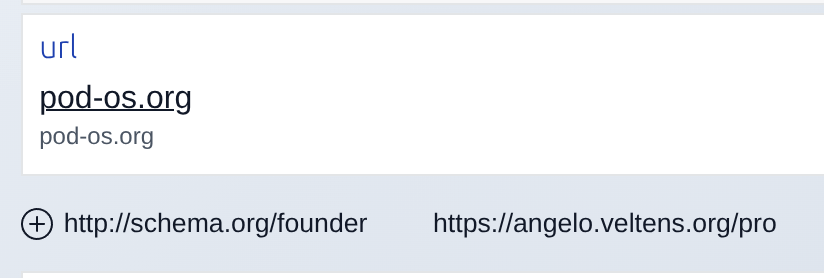
The world is messy, and more than often you get a lousy PDF instead of valuable new data for your Pod. You can upload attachments since PodOS 2025.12, and now you can enrich those documents with structured data as well! Add any literal or relation to classic documents like PDFs, Markdown notes or images and give them the meaning they deserve! You could upload your paper invoices, add a schema:Invoice type to them and a totalPaymentDue, link them with a respective Order or Event. Model the data to your needs, and if you like, start building dashboards to visualize all of this!

Programming in HTML?

We know, we know... HTML is not a programming language. But what if you like to shape dashboards fitting to your data? We introduced pos-switch with PodOS 2026.03 and it just got more powerful. You are now able to render different cases depending on the values of properties and even reverse relations! Consult the pos-case documentation for all available attributes.

A practical example? How about a recipe dashboard that highlights your vegan recipes:

<pos-switch>
    <pos-case if-property="https://schema.org/suitableForDiet"
              some-value-eq="https://schema.org/VeganDiet">
        <template>
            This is vegan!
        </template>
    </pos-case>
</pos-switch>
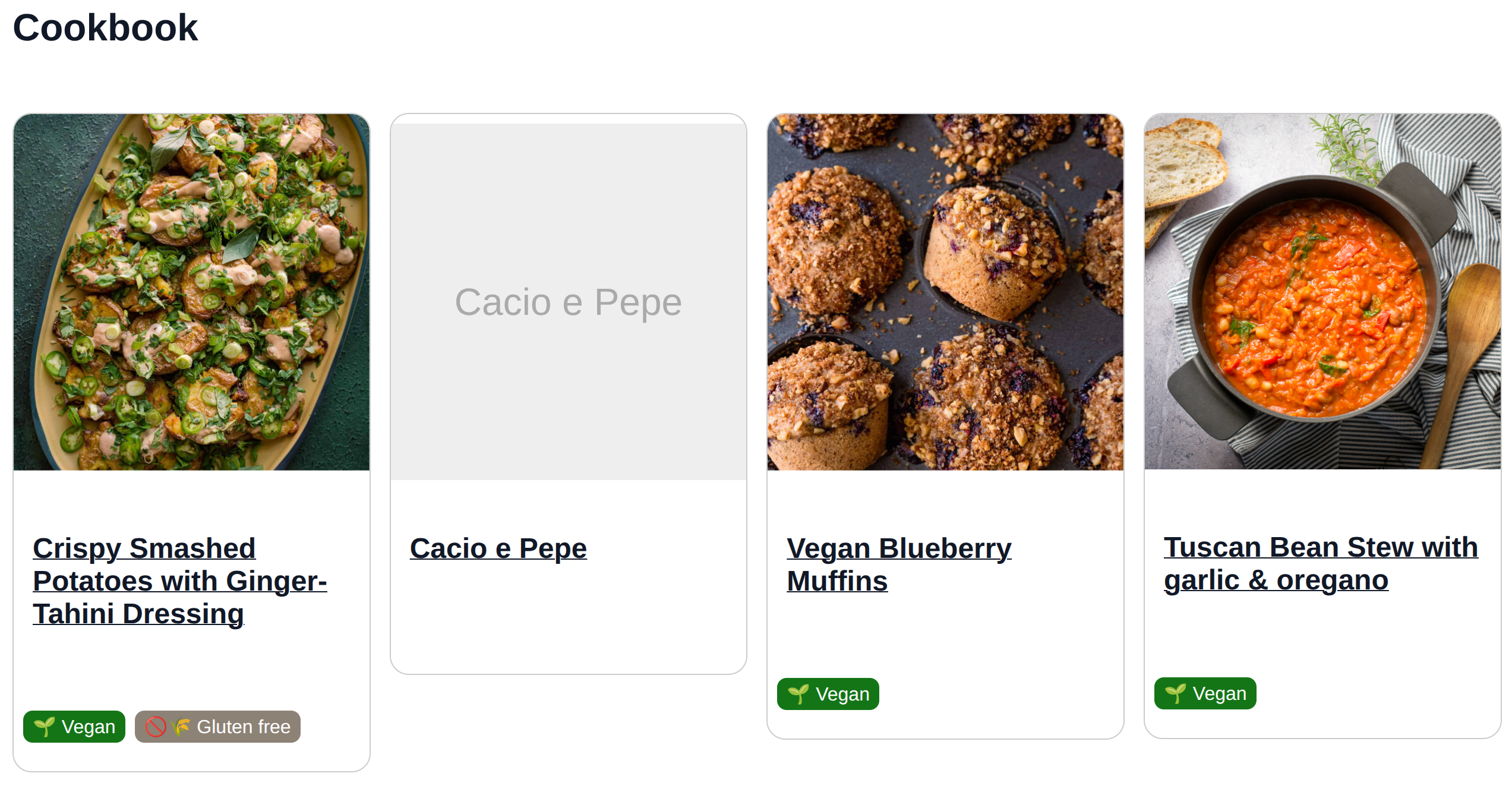
A PodOS dasboard highlighting dietary properties of recipes

You can manage your recipes with an existing app like Umai, but Umai has no feature yet to manage dietary preferences. Thanks to Solid, you can edit your data anyway using PodOS Brower, add a suitableForDiet relation and build a custom dashboard to visualize your cookbook the way you prefer. Bon appétit!

Our Dashboard Garage has a full example of such a dashboard. Explore, mess with it, and build whatever you need.

Full changelogs

PodOS 2026.07 includes the following components:

  • @pod-os/elements 0.43.0
  • @pod-os/core 0.32.0

For those of you interested in the full list of changes, here are the release notes:
PodOS 2026.05: Remember me, linking things, and IDE superpowers

This release brings a smoother login experience, a long-awaited editing feature, and a treat for everyone building HTML dashboards. As promised, we also continued rolling out reactivity to more components.

More reactivity

In our last release we started making PodOS components react to data changes automatically. With this release, pos-value, pos-label, and pos-description join the club. Edit a label in one place and every spot on the page that displays it catches up immediately.

Data on your Pod is richer when things are connected. Until now you could browse relations between resources, but adding a new link required editing raw RDF.

Add relation

PodOS Browser now lets you create a relation between two things directly from the "Data" tool, the same way you could already add literal values. Link a book to its author. Connect a project to its participants. The data is yours to shape.

Remember me

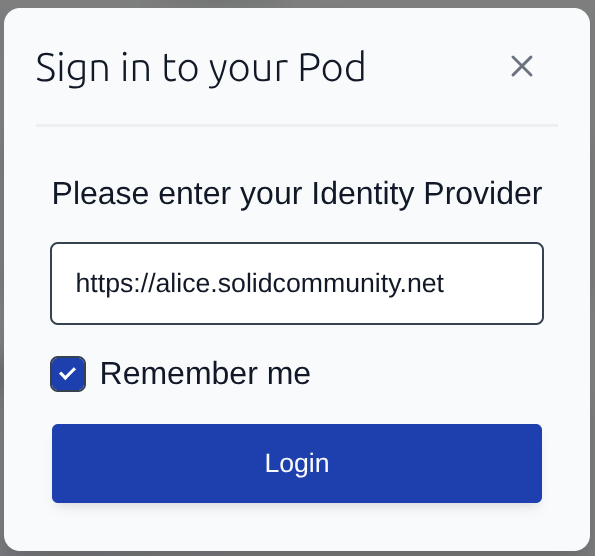
The login form now has a Remember me checkbox. When checked, your Identity Provider URL is saved locally and pre-filled the next time you log in. One less thing to type.

Remember me

Auto-completion for dashboard builders

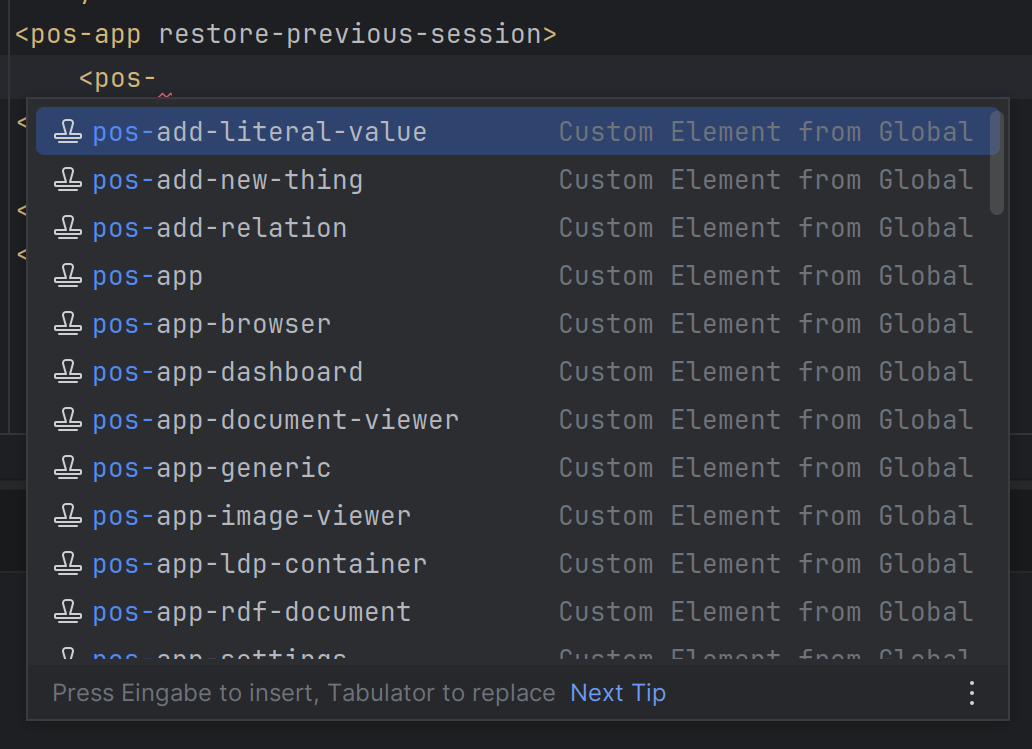
If you build HTML dashboards with PodOS elements, your editor can now help you. This release ships a Custom Elements Manifest alongside the package. IDEs that support this standard, like VS Code with the right extension, will suggest component names, attributes, and their descriptions as you type.

Auto-componete
Auto-complete suggesting various PodOS elements

Full changelogs

PodOS 2026.05 includes the following components:

  • @pod-os/elements 0.41.0
  • @pod-os/core 0.30.0

For those of you interested in the full list of changes, here are the release notes:
PodOS 2026.03: "Open with", conditional rendering and reactivity

Browsing your data using PodOS is great, but nothing compares to an app that is tailor-made for the task. That's why PodOS Brower now allows you to open a resource in another app. We also have some exciting new features for dashboards builders.

The right app, just when you need it

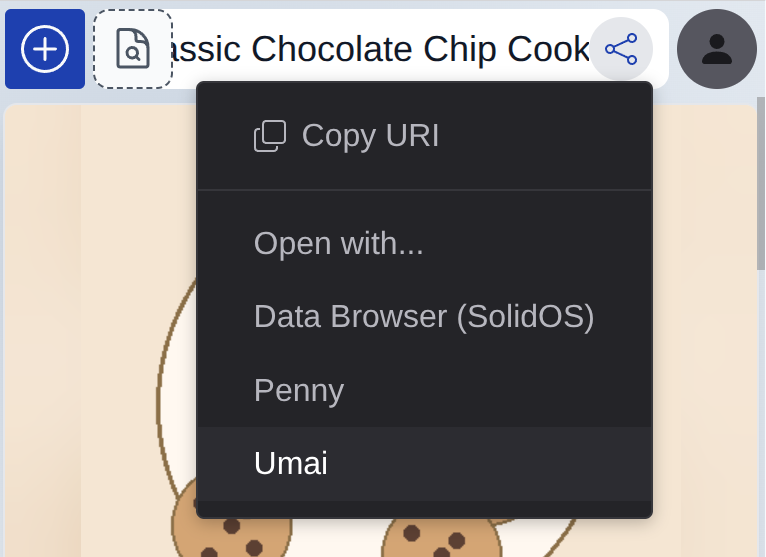
Having a choice: This is a key promise of the Solid ecosystem, and with the latest PodOS release we make this choice available with just two clicks: Press "Share", select an app, seamlessly continue your work. That's it!

Open with

Viewing a recipe? Open with Umai and start cooking. Working with an address book? Switch over to PodOS Contacts. Need to edit a web page? Dokie.li is at your service.

The current release comes with support for several well-known and proven Solid applications. We are going to make this configurable to work with any Solid app in the future.

What if? One dashboard countless possibilities

Your data is as diverse as your life. When building HTML dashboards, you might want to react differently depending on the type and properties of things. This is where pos-switch comes into play! A new component for conditional rendering.

With this new element you can choose an appropriate HTML template for different cases. Here is an example:

<pos-switch>
  <pos-case if-typeof="http://schema.org/Recipe">
    <template>Whatever you want to render for a recipe</template>
  </pos-case>
  <pos-case else if-typeof="http://schema.org/Person">
    <template>This renders in case it is a person</template>
  </pos-case>
  <pos-case if-property="http://www.w3.org/2006/vcard/ns#hasPhoto">
    <template>
      The resource has a photo, let's show it: <pos-picture></pos-picture>
    </template>
  </pos-case>
</pos-switch>

Take a look at Storybook for more examples and playing around with it.

Things change: Your dashboards will adjust

When data changes in one place, the user interface needs to reflect those changes elsewhere. This reactivity is key for modern web applications and a great user experience.

When building HTML dashboards, we do not want you to be bothered with this. It should "just work" for you. That's why we started to build reactivity into PodOS core and elements. Components like pos-container-contents and the new pos-switch will update automatically if relevant data changes.

Not all elements follow this approach yet, but we will be adding reactivity to more of them one by one.

Full changelogs

PodOS 2026.03 includes the following components:

  • @pod-os/elements 0.38.0
  • @pod-os/core 0.27.0

For those of you interested in the full list of changes, here are the release notes:
PodOS 2026.01 adds dynamic module loading

With the latest PodOS release, we are taking a big leap towards modularity and extensibility. You can now dynamically load Solid Data Modules to add new features to the core system.

Our (still experimental) PodOS contacts app already made use of the contacts data module for some time. Now your own dashboards and apps can load a data module of your choice. Check out the tutorial to learn how to do that.

Any rdflib-based data module is supported:

We also did an experimental release of a @pod-os/contacts component library. Since the provided components are currently very tailored to the PodOS Contacts app and due to change, we do not recommend using them yet in your work. But it gives an impression in what direction we are heading to extend PodOS with domain-specific components and features in the future. We will keep you updated!

Full changelogs

PodOS 2026.01 includes the following components:

  • @pod-os/elements 0.36.0
  • @pod-os/core 0.25.0

For those of you interested in the full list of changes, here are the release notes: